Why AI Product Photos Look Fake and How to Fix It
You snap a perfectly decent photo of a handmade soap you just finished curing. You upload it to an AI photo generator, hoping for a clean, simple bathroom counter background. Thirty seconds later, your soap is sitting on a massive marble pedestal in what looks like a Greek temple.
It’s glowing weirdly. It's hovering about two inches off the surface. And worst of all, your actual product takes up barely a tenth of the final image.
If you run an indie shop, you probably know exactly what I'm talking about. Figuring out why AI product photos look fake and how to fix it is basically a rite of passage for anyone selling online right now. You want clean, professional shots, but the AI keeps giving you cinematic fantasy scenes.
Let's break down why these tools get it so wrong, and how a simple concept called the 85% Rule can completely fix your store's aesthetic.
1. The Core Problem: Why Most AI Generators Struggle with E-commerce Realism
General AI models—like the ones powering most popular photo apps—were trained on millions of beautiful photographs, digital art pieces, and cinematic movie stills. They are essentially digital artists.
They weren't trained to sell your handmade pottery or vintage denim. When you ask them for an image, their default instinct is to compose a vast, beautiful, complex scene. They want to show off their ability to render dramatic lighting, sweeping backgrounds, and intricate details.
But in e-commerce, showing off the background is the fastest way to lose a sale. You don't want a digital art piece. You want a clear, trustworthy photo of a $24 item. Because the AI doesn't understand the intent of a product listing, it prioritizes the “vibe” over the actual object you're trying to sell.
2. Culprit 1: The Shrinking Effect (When Scenery Swallows Your Product)
You upload a coffee mug, and the AI generates a beautifully lit, modern farmhouse kitchen. The problem? It generated the entire kitchen. Your mug is sitting on a massive island next to a bowl of perfectly glossy, impossible-looking apples.
I call this the shrinking effect. The AI zooms out to fit all its cool background ideas into the frame, shrinking your product in the process.
When people scroll through Etsy or Shopify on their phones, your thumbnail is less than two inches wide. If your product only takes up 15% of that tiny square, it’s practically invisible. Buyers will scroll right past it because they can't actually see what you're selling without clicking—and they won't click if they can't see it.
3. Culprit 2: Defying Physics (Floating Objects and Mismatched Shadows)
Have you ever looked at an AI product photo and immediately felt like something was "off," even if you couldn't put your finger on why? It usually comes down to basic physics.
Let's say you took the original photo of your product by a window, with natural light hitting it from the right. You upload it to an AI tool, and it places your item in a scene where the sun is clearly setting on the left.
Your brain instantly flags this as fake. The highlights on your product don't match the shadows on the floor.
Then there's the dreaded "floating" effect. Instead of generating a proper contact shadow—the dark, sharp shadow directly underneath an object where it touches a surface—the AI just paints a blurry grey smudge. Suddenly, your heavy ceramic bowl looks like it's hovering an inch above the table.
4. Culprit 3: Over-Styling That Distracts From Your Etsy or Shopify Listing
AI loves adding random props. It simply cannot help itself.
If you sell a leather wallet, the AI will sprinkle vintage compasses, fountain pens, scattered coins, and rolled-up maps all over the desk. If you sell a lavender bath bomb, prepare for an explosion of dried flowers, three different antique towels, and a cup of tea in the background.
This over-styling is incredibly distracting. It pulls the buyer's eye away from your item and creates a messy, cluttered listing.
Worse, it creates confusion. You'd be amazed at how many buyers will message a seller asking, "Does the antique compass come with the wallet?" Keep the frame focused on what's actually going in the shipping box.
5. How 'Fake-Looking' AI Photos Actively Hurt Buyer Trust and Conversion Rates
People buy from indie sellers, vintage curators, and solo makers because they want authenticity. They want to know a real person curated or crafted the item they're buying.
If your store is filled with photos that look like they were generated by a computer, that human connection evaporates. Hyper-perfect, glossy, fake-looking scenes scream "mass-produced dropshipper."
If the photo looks fake, the buyer assumes the product might be fake, too. Or at the very least, they wonder what you're trying to hide by not showing a real photo. Fixing this is one of the easiest ways to improve your shop's performance, which is why it's a huge part of any good product photo conversion guide.
6. The Ultimate Fix: Implementing 'The 85% Rule' to Restore Authenticity
So, how do we fix all of this? It all comes down to a concept I call the 85% Rule.
The rule is simple: Your actual product must dominate 85% to 90% of the visual frame.
The background shouldn't be a room, a landscape, or a heavily styled flat lay. It should just be a surface and a wall. Think subtle plaster textures, clean wooden tables, or a soft linen cloth.
When your product takes up 85% of the frame, three magical things happen:
- The shrinking effect is eliminated, making your mobile thumbnails pop.
- The AI has less room to invent distracting props.
- The image looks like a real, professional studio shot taken by a human.
Humans buy the item, not the background. Force the focus back onto your work.
7. Prompting Hacks: Trying to Force General AI Tools to Focus on the Item
If you're using general AI tools and fighting the shrinking effect, you have to get very aggressive with your text prompts to force the 85% Rule.
Use Camera-Specific Terminology
Don't just ask for "a mug on a table." The AI will give you the whole table. Instead, use photography terms that force a tight frame. Add phrases like "macro photography," "extreme close-up," and "product fills the entire frame" to your prompts.
The Negative Prompt is Your Friend
If your tool allows negative prompts (telling the AI what not to include), use it heavily. Here is a quick list of things I always put in my negative prompts when wrestling with general AI:
- Props, decorations, plants, flowers
- Distant backgrounds, rooms, windows
- Floating, mismatched shadows
- Wide angle, zoomed out
It’s a constant battle, but being strict with your words helps rein the AI in.
8. Lighting and Shadow Rules to Ground Jewelry, Candles, and Ceramics
Different items need different lighting to look real. If you just ask for "studio lighting," the AI will often give you a flat, boring wash of light that makes the item look pasted on.
Grounding Jewelry
When you're dealing with jewelry product photos, you need sharp, defined lighting to make metals and stones sparkle. Ask the AI for "hard directional light" and "sharp reflections." Most importantly, make sure the surface is highly textured (like slate or rough stone) so the delicate chains don't get lost in a busy background.
Warming Up Candles
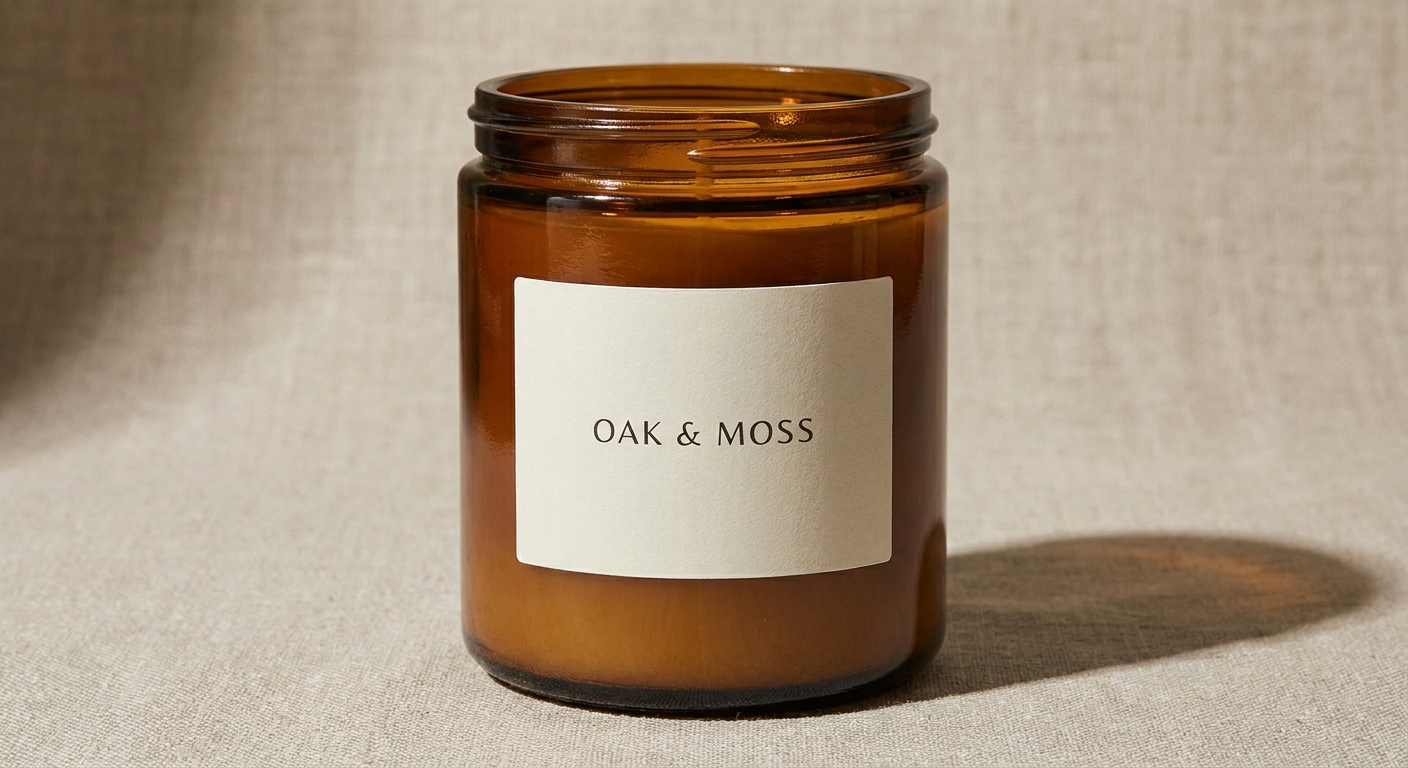
Candles and bath products need to feel cozy and inviting. This is especially true for candle product photos. Ask for "soft diffused morning light" or "warm directional sunlight from a window." Keep the shadows soft and long to ground the heavy jars to the table.
Texturing Ceramics
If you sell handmade mugs or bowls, the texture of the glaze is everything. Flat lighting kills texture. Prompt the AI for "raking side light"—this means the light comes across the object from the side, highlighting every little bump and groove in your clay.
9. Why We Built Shotsell: Automating the 85% Rule Without the Prompt-Wrestling
I built Shotsell because I was exhausted from the exact problems I just described. As a solo dev, I was trying to help indie sellers get great photos, but we were all spending hours tweaking prompts just to get the AI to stop shrinking our items.
That's why so many sellers go looking for a Photoroom alternative. You want a tool that just works for e-commerce out of the box.
I decided to hardcode the 85% Rule directly into Shotsell. You don't have to write paragraph-long prompts begging the AI to zoom in. You just upload your iPhone photo, pick a realistic surface (like concrete, wood, or linen), and Shotsell automatically scales your product to dominate the frame.
It forces realistic drop shadows. It refuses to generate distracting background props. It's just you, your product, and a clean, professional shot that actually converts. I kept it simple and affordable for solo sellers: $9.99 a month for 100 photos. No weird credits, no over-styled junk.
10. Next Steps: How to Audit Your Current Product Photos for AI Artifacts
If you've been using AI tools for a while, it's time to do a quick audit of your shop. Open your store on your phone and scroll through your listings.
Try the "squint test."
Squint your eyes until the screen gets a bit blurry. What stands out in your thumbnails?
- Do you see the distinct shape and color of your product?
- Or do you just see a messy blend of background colors and random props?
If the background is swallowing your work, those photos are actively costing you clicks. Pick your top five best-selling items and commit to updating their main images using the 85% Rule.
Strip away the fake marble temples. Get rid of the scattered pinecones. Bring the camera in tight, let your product fill the frame, and watch your conversion rates respond to the authenticity. If you want a shortcut that handles the cropping, lighting, and shadows automatically, give Shotsell a try. Let's make your products the star of the show again.