Best AI Product Photo Tool for Solo Sellers
I used to spend my Sunday afternoons balancing a handmade leather wallet on a stack of books by the kitchen window, waiting for a cloud to pass so the natural lighting would be just right. When AI photo editors first popped up, I thought my weekend photography struggles were completely over.
Instead, I ended up with an entirely new set of problems. I'd upload a simple photo of my wallet, click a magic wand button, and suddenly my product was floating over a mystical mountain range surrounded by flying ferns and dramatic fog. The actual item I was trying to sell took up maybe 10% of the image.
If you are hunting for the best ai product photo tool for solo sellers, you've probably run into this exact frustrating issue. There are dozens of apps out there right now, but most of them are built for massive creative agencies running high-budget artistic ad campaigns.
As an independent maker or vintage curator, you don't need your product placed on the surface of Mars. You need a clean, beautiful, well-lit photo that clearly shows what you are selling so someone scrolling fast on their phone actually stops and buys it.
Why Solo Sellers Need Different AI Photo Tools Than Big Brands
Big brands have totally different end goals than independent makers. When a massive cosmetics company runs a full-page magazine ad or a huge billboard, they want to create an entire mood. They want sprawling landscapes, intense artificial shadows, and elaborate, expensive props.
When you sell on Etsy, Shopify, or your own indie site, your main battleground is a tiny square on a smartphone screen. Your customer is scrolling fast while waiting in line for coffee or sitting on the subway. They aren't looking for an artistic mood board. They want to know exactly what your item looks like, its texture, and its realistic scale.
This creates a huge disconnect between what most mainstream AI photo generators do and what solo sellers actually require. Many tools default to generating busy, distracting environments because it shows off how "smart" their AI background generation is.
For an indie seller, time is your absolutely scarcest resource. You can't spend twenty minutes writing complex prompt instructions just to get a clean wooden table background without flying fruit in the background. You need an app that understands basic e-commerce principles right out of the gate.
The Trap of Scenic AI Backgrounds: Shrinking Your Product
It is incredibly tempting to use the wild, imaginative features in modern AI apps. I completely get it. Putting your handmade soy candle on a glowing marble pedestal surrounded by waterfalls looks super cool on a 27-inch desktop monitor.
But think about the actual daily shopping experience. When a shopper sees that exact same image shrunk down to a one-inch thumbnail on an Etsy search results page, they can't tell what the product actually is. Is it the candle? The marble pedestal? The waterfall?
This is the most common reason why AI product photos look fake or off-putting to buyers. The AI system gets so excited about drawing a beautiful background that it completely forgets the star of the show.
The background starts actively competing with your item for the buyer's attention. In e-commerce, confusion instantly kills conversion. If a buyer has to squint their eyes just to see the tooling details of your leather wallet or the clasp on your beaded necklace, they will just keep scrolling to the next listing.
The 85% Rule: Why Conversion Relies on Product Dominance
After looking at thousands of successful e-commerce listings across different platforms, I noticed a very clear, repeatable pattern. The highest-converting product listings almost never have the fanciest backgrounds. Instead, they have the most prominent, dominant products.
I call this "The 85% Rule." In a perfect product photo, the physical item you are selling should dominate 85 to 90% of the entire frame. The background is strictly there to provide basic context, visual contrast, and a sense of physical realism.
When your product fills 85% of the frame, magical things happen to your conversion rates:
- Fine details, stitching, and textures are instantly visible on tiny mobile screens.
- The shopper's eye is naturally drawn exactly where it needs to go without distraction.
- The perceived value of your item goes up because you aren't hiding behind props.
Most mainstream AI tools completely ignore this rule. They default to showing your product at maybe 30% scale so they have plenty of room to show off their cool background generation. But as a seller, you aren't selling the background. You're selling the item.
Top AI Photography Tools for Independent Sellers (Compared)
Finding the best ai product photo tool for solo sellers means looking past the shiny marketing hype on their landing pages. You have to look at how these tools actually handle the daily, unglamorous grind of adding new inventory to your shop.
I've spent hundreds of hours testing the biggest names in the AI space. I've used them to generate hundreds of photos for vintage clothing, handmade jewelry, candles, and hard goods.
Each tool has its own personality, its own learning curve, and its own ideal user. Some want you to be a skilled prompt engineer. Others want to do absolutely everything for you. Let's look at how the top options stack up for independent makers and shop owners.
Shotsell: Best for Conversion-Focused Framing and Affordability
I'm the solo developer behind Shotsell, so I have an obvious bias here. But I built this tool specifically because I was deeply frustrated with everything else on the market ignoring the needs of tiny shops.
I wanted something that natively understood The 85% Rule without me having to fight it. With Shotsell, you don't have to argue with the AI to make your product the center of attention. The system is hardcoded from the ground up to keep your item taking up 85-90% of the frame. It generates clean, natural environments—like simple kitchen countertops, wooden tables, or soft studio backdrops—that actually help sell the item rather than distract from it.
I also wanted to make it genuinely affordable for people running a one-person shop on a tight margin. Shotsell costs $9.99 a month for 100 photos. There are no confusing token systems, hidden fees, or expensive enterprise tiers that you'll never use.
It's built entirely around getting a raw, poorly lit photo from your phone onto your live product page in under a minute, with maximum visual focus on the item itself.
Photoroom: Best for Extensive Template Libraries and Props
Photoroom is a massive, well-funded player in this space, and they do a lot of things really well. If you are looking for an enormous library of pre-made templates, they are very hard to beat.
They offer thousands of different visual scenes, from seasonal holiday backgrounds to highly specific niche themes. If you absolutely want your product sitting next to a carved pumpkin for Halloween or surrounded by frosted pinecones for a winter sale, Photoroom likely has a template ready to go.
The downside for solo sellers is that the sheer number of digital props often completely overshadows the product. You usually have to manually resize, drag, and adjust your item after the AI does its thing just to get anywhere close to the 85% mark.
It's a strong tool if you enjoy tweaking layers and adjusting digital shadows manually. But if you're looking for a simpler Photoroom alternative that requires much less manual adjustment per photo, you might prefer a more streamlined interface.
Flair AI: Best for Creating Elaborate Lifestyle Scenes
Flair AI takes a totally different, much more complex approach. They focus heavily on building scenes using drag-and-drop 3D elements and detailed text prompts. It's incredibly powerful if you want to create a highly specific, editorial magazine look.
You can drag a digital 3D cylinder onto a blank canvas, type a prompt to tell the AI to turn it into a mossy stone block, and manually place your product on top of it. For people who have a very specific brand vision and the technical patience to construct it, Flair is an amazing playground.
However, the learning curve is notoriously steep. You are essentially building a digital movie set for your product from scratch every time. And just like Photoroom, Flair tends to heavily favor the environment over the product itself. The AI loves to shrink your item to show off the cool digital set it just built.
For a busy maker packing orders, spending 15 minutes art-directing a single photo might not be realistic. If that sounds exhausting, a more automatic Flair alternative might be a much better fit for your daily workflow.
Matching Your Tool to Your Trade: Jewelry, Vintage, and Ceramics
Not all physical products are created equal. The AI engine that perfectly lights a matte handmade sweater might completely struggle with the harsh reflections on a polished silver ring. Here is how you should think about your specific product category when choosing an app.
Jewelry and Highly Reflective Items
Jewelry is notoriously hard to photograph in real life, and it's equally hard for AI. AI tools often get confused by the complex reflections in silver, gold, and glass, sometimes generating weird digital artifacts right on the metal itself.
When doing jewelry product photos, you need an AI that keeps the lighting incredibly soft and directional. Tools that generate busy, colorful backgrounds will often cast weird, fake color reflections onto your rings and necklaces. Stick to simple, solid-color or soft-focus studio backgrounds to keep the metal looking authentic.
Vintage Clothing and Hard Goods
If you sell vintage items, authenticity is literally everything. Buyers need to see the exact real-world condition of the item before they buy. Scuffs, fabric textures, faded tags, and tiny flaws are actual selling points.
For vintage clothing or hard goods, the AI should absolutely never alter the physical item itself. You want a tool that strictly isolates your subject and just softly swaps the background to something clean, like a plain wood floor or a white brick wall. The 85% rule is absolutely crucial here—don't let a wild AI background distract the buyer from the authentic wear and tear they are paying for.
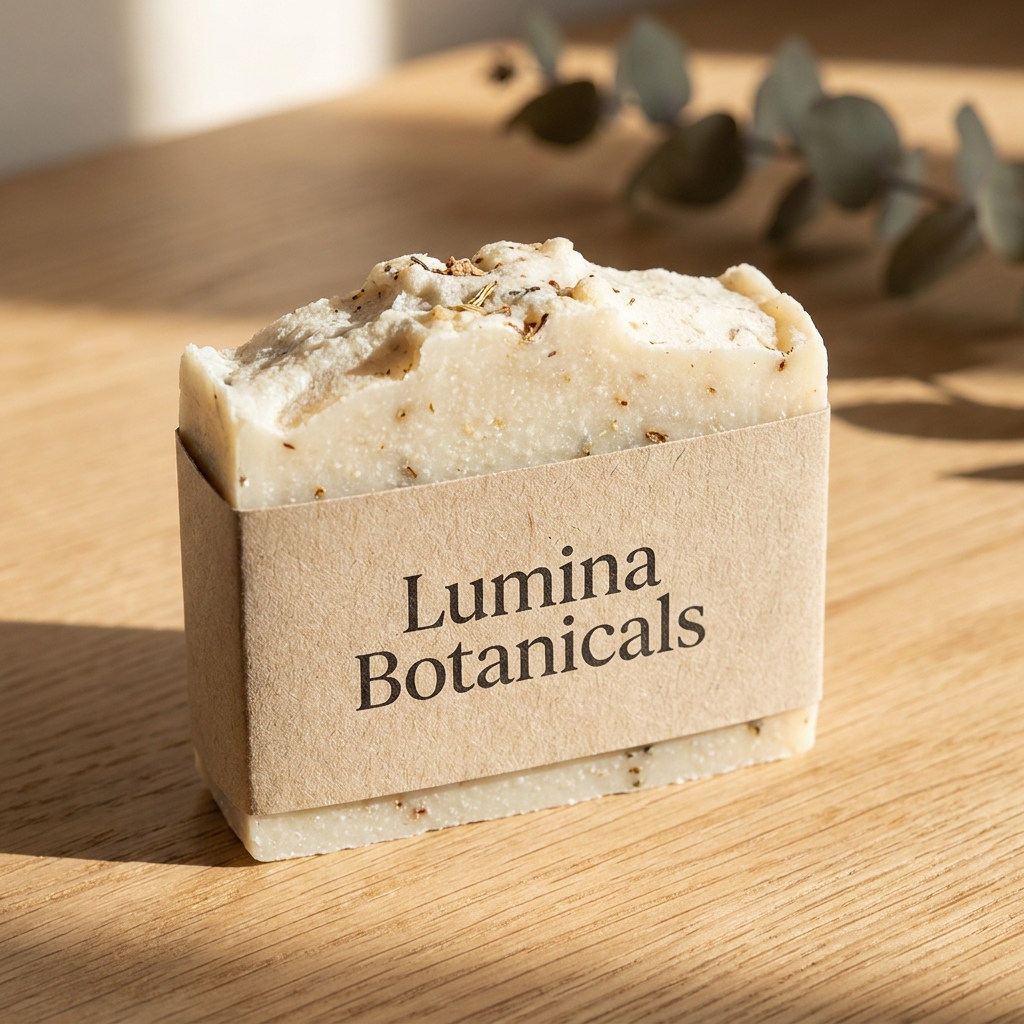
Handmade Soaps, Candles, and Home Goods
Home goods usually benefit heavily from a tiny bit of context. A coffee mug looks much better on a kitchen counter next to a window than it does floating in an empty white void.
However, the AI often gets carried away adding random spoons, spilled coffee beans, and folded napkins. Make sure whatever tool you use allows you to easily lock the product size in place. The physical texture of the wax or the ceramic glaze is what actually sells the piece, so keep it front and center and keep the props to an absolute minimum.
How to Calculate the ROI of Your AI Photo Subscription
When you're running a solo shop, every single monthly subscription eats directly into your profit margins. It's incredibly easy to get subscription fatigue when you're paying for hosting, email marketing, and listing fees. But looking at photography purely as an expense is a major mistake.
Think about exactly how long it takes you to set up a physical photo shoot in your home or studio:
- Waiting for a sunny day with good daylight
- Setting up physical paper backdrops and clearing off your kitchen table
- Taking the actual photos with your phone or DSLR
- Editing out dust spots or desperately trying to fix the lighting in post-production
If you spend just two hours a week photographing new inventory, that is eight hours a month. At $9.99 a month for something like Shotsell, you are paying roughly ten cents a photo.
More importantly, you are basically buying back a full working day every single month. You can use that extra day to make more physical products, improve your shop's SEO, or just take a well-deserved break. If a tool saves you precious time and increases your conversion rate by making your products look professional on mobile screens, the return on investment happens on the very first day.
Final Verdict: Choosing the Right Copilot for Your E-commerce Shop
Running an indie shop is an incredible amount of work. On any given Tuesday, you are the manufacturer, the marketing department, the customer service rep, the shipping clerk, and the lead photographer. You absolutely deserve tools that respect your limited time and deeply understand your actual business goals.
When searching for the best ai product photo tool for solo sellers, do your best to ignore the flashy tech demos showing products floating in outer space. Look for practical tools that focus entirely on the boring, highly effective fundamentals of e-commerce.
Always remember the 85% rule. Your physical product is the star of the show. Every single pixel of the photo should be dedicated to showing the buyer exactly what they are getting, with just enough subtle background to make it look beautiful, real, and trustworthy.
If you're tired of fighting with complex AI prompts and just want clean, high-converting photos that put your product exactly where it belongs—front and center—I'd love for you to give Shotsell a try. It's $9.99 a month for 100 photos, and it's built entirely by a solo maker, for solo makers. There's no pressure at all, but if you want to skip the endless prompt engineering and get back to creating what you love, it's ready and waiting whenever you are.